
If you’re in search of a free, innovative and easy-to-use tool that will help to learn about music theory, play with rhythms and explore melodies, then you should definitely check out Chrome Music Lab by Google. Chrome Music Lab by Google is a fantastic tool to use for individuals and for music teachers in a classroom setting. Interested? Read on to learn more!
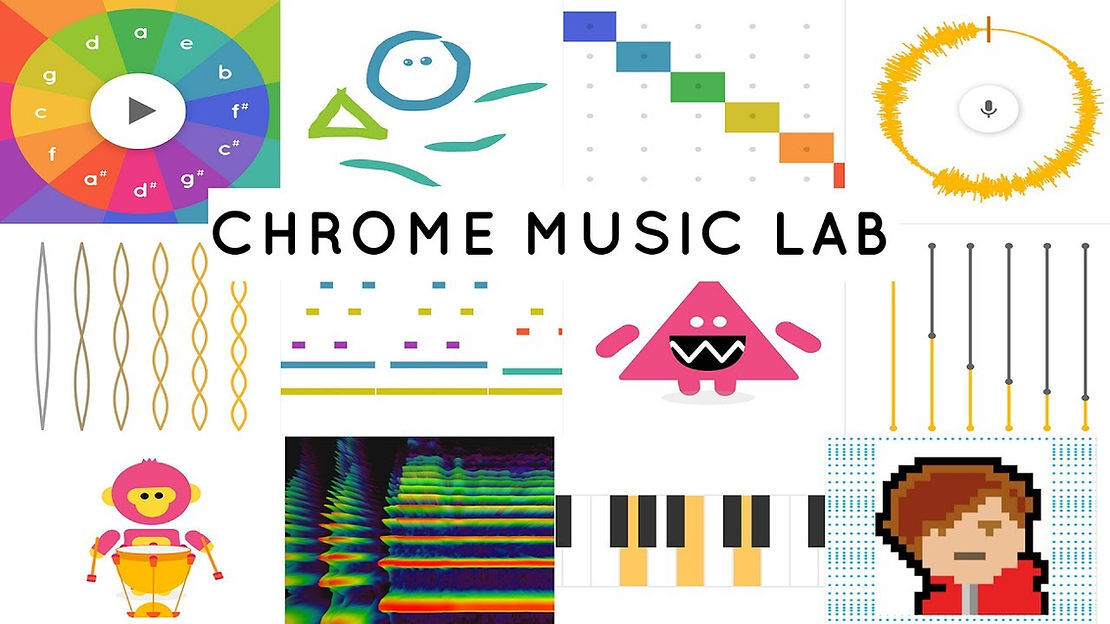
Google created Chrome Music Lab, a free and interactive online platform that has made music education more accessible and enjoyable. Chrome Music Lab comes equipped with a plethora of tools and musical experiments that enable students to learn about many elements of music, including rhythm, melody, harmony and sound waves. The Chrome Music Lab was designed with both beginner musicians and music teachers in mind with the goal of bridging the gap between technology and music. No matter your skill level or musical interests, the Chrome Music Lab application by Google will have something for you!
What Is Chrome Music Lab?
Chrome Music Lab is an educational platform created by Google that is available for free and works seamlessly the Chrome web browser across devices like computers, tablets and smartphones. Chrome Music Lab incorporates visual and interactive tools to encourage students to play with and understand various fundamental concepts of music.
The Benefits of Chrome Music Lab for Beginners
Chrome Music Lab by Google offers various benefits for both music students and music teachers which we will examine further below:
Ease of Use:
Chrome Music Lab boasts a simple and intuitive interface that is fantastic for people who are new to music and have no prior knowledge of music theory. You don’t need to be a technical genius to figure it out either.
Interactive Learning:
The hands-on experiments that are found within Chrome Music Lab allows students to actively engage with musical ideas. This engagement will reinforce these concepts in a way that is not possible when simply reading about them.
Accessible Anywhere:
No downloads or subscriptions are required in order to use Chrome Music Labs. This makes it accessible anywhere, as long as you have your device and an internet connection.
Encourages Exploration:
In Chrome Music Lab, students will explore many different sounds and musical compositions. As a result, it helps to foster musical exploration and creativity.
Key Features and Experiments
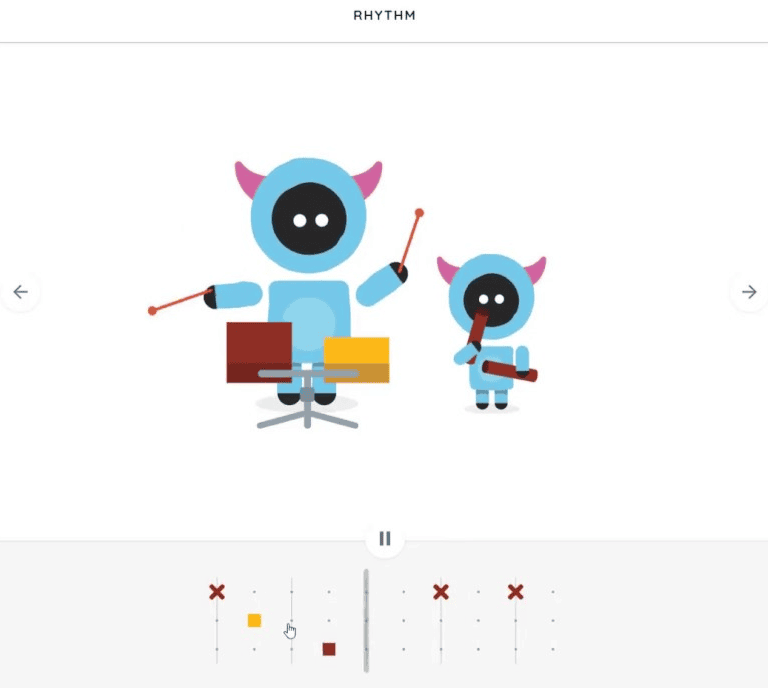
Rhythm Experiment
Music is divided into measures (also known as bars) that each contain an equal number of beats; The Rhythm Experiment in Chrome Music Lab will help users to better understand beats, rhythm and measures by providing a clear, visual representation. It’s a wonderful tool for beginners looking to develop a strong understanding of the fundamentals of rhythm.
Melody Maker
Chrome Music Lab’s Melody Maker will guide users on a path towards understanding scales and pitch, and will even help users develop a deeper understanding of rhythm. Users will compose simple melodies by drawing on a grid which maps out different pitches and timings.
Shared Piano
Chrome Music Lab comes equipped with a shared piano that allows users to collaborate on different computers. This fosters listening skills, improvisation and gives learners the opportunity to experience the joy of playing music with others.
Spectrogram Experiment
The Spectrogram Experiment is a great way for users to begin visualizing sound. It highlights the frequency spectrum of many sounds and musical instruments, allowing aspiring musicians to grasp how different sounds are structured.
Arpeggios
The Arpeggios section of Chrome Music Lab provides an interactive way to explore the beauty of arpeggios by breaking down chords into individual notes played sequentially. It incorporates the circle of fifths, allowing users to experiment with different chords in related keys, helping them understand the relationship between harmonies. By adjusting speeds and patterns, learners can see how arpeggios add texture and motion to music. This tool is ideal for beginners learning to recognize chord tones and for advanced musicians creating unique melodies or accompaniments. The visual representation makes the theory behind arpeggios easier to grasp, connecting abstract concepts to practical use. Whether you're studying piano, guitar, or production, the Arpeggios section offers a fun and effective way to develop your musical ear and creativity.
Voice Spinner
The Voice Spinner section of Chrome Music Lab allows users explore the interesting world of sound manipulation. Users will speed up or slow down pieces of music and learn about how this alters the pitch and harmony of a given piece. It’s perfect for singers, students, and creators looking to understand pitch shifts or create unique vocal effects. The playful interface makes complex concepts like pitch and harmony accessible while sparking creativity. Whether you're learning about music theory or just having fun, Voice Spinner is an engaging way to deepen your understanding of sound.
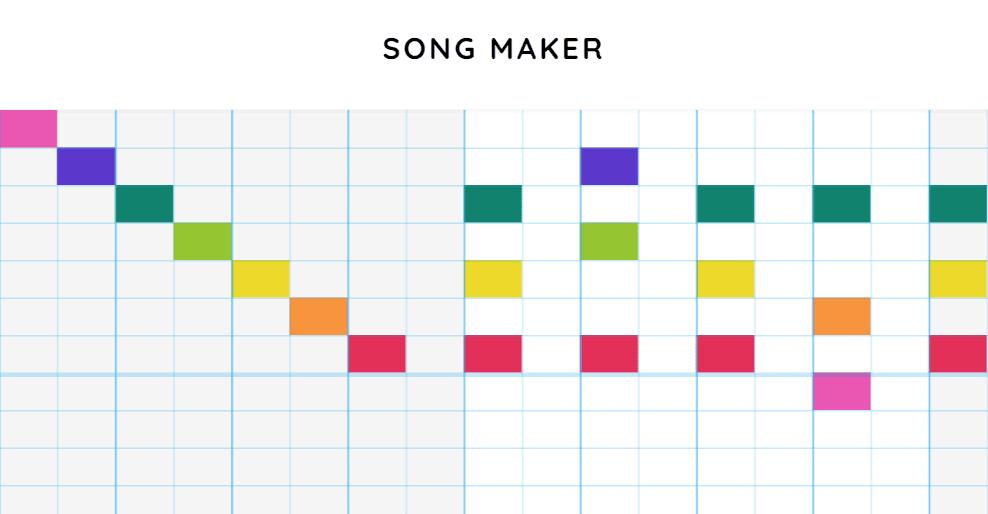
Song Maker
Learners will combine melodies and rhythms together to compose their own songs within the Song Maker Experiment. It’s arguably the most versatile experiment within Chrome Music Lab and at Greater Toronto Music School, our students just love it. Users can save, export and share their compositions with friends and their music teacher.
Creative Ways to Use Chrome Music Lab
For Music Teachers
While Chrome Music Lab won’t act as a substitute for a qualified an experienced music teacher, it is a fantastic additional tool to use in a classroom setting. Music teachers will find that Chrome Music Lab is extremely helpful and interactive while teaching rhythm, melody an harmony.
For Beginner Musicians
For students enrolled in private music lessons or online music lessons, Chrome Music Lab offers a way to practice and deepen your understanding of concepts learned in your lesson. At Greater Toronto Music School, we incorporate Chrome Music Lab in many ways, one of our favourite is to encourage students to create a rhythm in the Rhythm Experiment and later replicate it on their instrument. It’s a great complement to private music lessons.
For Parents
Parents who want to expose their children to music can consider playing with Chrome Music Lab together with their children. It’s a really greatly to expose children to music early on and can serve as a wonderful precursor to private music lessons or online music lessons to help your child come in with some useful and helpful background knowledge.
Tips for Getting Started
Tips for Getting Started
Start Simple:
Chrome Music Lab has a lot to offer! Remember, start slowly and explore each experiment, one at a time. This will allow you to get the most out of each one and to really familiarize yourself with the platform.
Incorporate It Into Lessons:
To get the most out of Chrome Music Lab, combine it with traditional music lessons. Whether you are taking online music lessons or you’re planning to take in-person music lessons near you, Chrome Music Lab will definitely elevate your experience.
Experiment Freely:
Don’t be afraid to play around and make mistakes—it’s part of the learning process!
Conclusion
Chrome Music Lab is a fantastic tool for any music teacher or beginners who are keen to learn fundamental music concepts. Its interactive approach does a great job of teaching complex musical concepts in a fun and engaging way. At Greater Toronto Music School, we highly recommend checking it out, no matter if you’re a music teacher, a student or a parent keen to introduce these concepts to your child.